I did not start building customer journey maps because I read a marketing book and thought, “This seems useful.” I started because I kept seeing clients throw money at problems they didn’t understand.
One client in particular spent six months optimizing their checkout flow. They A/B tested button colors. They simplified forms. They added trust badges. Conversion rate improved by 0.3%.
Then I sat with them for two hours and mapped out what their customers were actually doing. Most people were bouncing at the pricing page, not checkout. The problem was three steps earlier.
That is when customer journey mapping stopped being a buzzword for me and became a tool I actually use.
Why I Think Most Companies Skip This Step (And Regret It)
The boring answer is that customer journey mapping helps you better understand your sales process. The honest answer is that most businesses are guessing about what their customers do, and those guesses are expensive.
You want people to move smoothly from “I might need this” to “I just bought this.” But without seeing the whole picture, you end up optimizing random pieces of the funnel while the actual bottleneck sits three pages away, completely ignored.
Here is what a good customer journey map does for you:
- You see where people actually struggle. Not where you think they struggle. Where the data and feedback tell you they struggle. Big difference.
- You stop wasting money on the wrong problems. When you know a customer spends 15 minutes comparing you to competitors before even clicking “add to cart,” you stop obsessing over your checkout button copy and start working on your differentiation message.
- You align your entire team. Sales blames marketing. Marketing blames the website. The website team blames the product. Everyone has theories. The map settles arguments because it shows what is actually happening.
- You catch multichannel chaos. Your customer might find you on Instagram, research you on Google, read reviews on a third-party site, then come back to your homepage. If you are only tracking one channel, you are blind to 80% of the journey.
- The sales funnel used to be simple. Someone walked into a store, looked at a thing, and bought the thing. Now people research for weeks, bounce between devices, read 47 reviews, add items to cart and ghost you, then come back three months later. You cannot manage that process if you cannot see it.
What a Customer Journey Map Actually Is
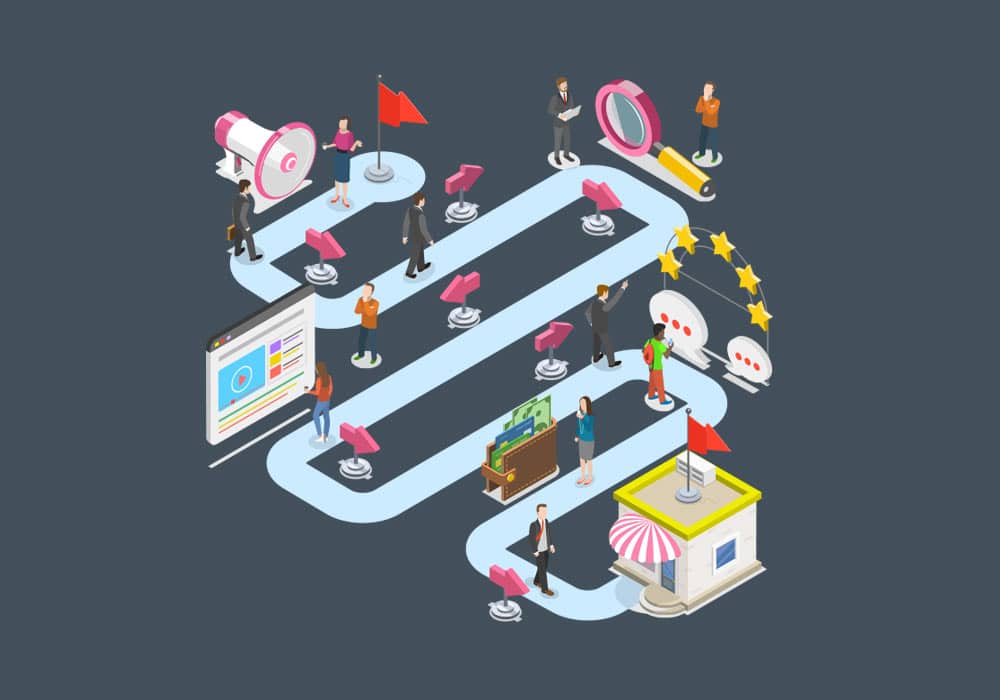
Strip away the jargon, and a customer journey map is a visual diagram that shows every step a customer takes when dealing with your company. From the moment they hear about you to the moment they buy from you, and sometimes beyond.
A real customer journey map:
- Shows the entire sales funnel in one view. Not just the part you like talking about. The whole thing. Awareness, consideration, decision, purchase, and any post-purchase steps that matter.
- It is built from actual customer data. Not your assumptions. Not your CEO’s hunches. Honest feedback, real behavior, authentic interactions.
- Focuses on the customer experience. What they do, what they think, what frustrates them, and what makes them click “buy now” instead of closing the tab.
- It is easy to read. If your map looks like a conspiracy theorist’s wall of string and photos, you did it wrong. The point is clarity, not complexity.
How This Changes The Way You Do Business
I have built these maps for clients who thought they understood their customers. They were wrong about 60% of the time. Here is what changes when you actually map the journey:
Inbound marketing stops being a mystery
You know where your customers are spending time. You know what questions they are asking at each stage. You know what content they need before they are ready to buy. So instead of blasting generic blog posts into the void, you create content that meets people exactly where they are in the journey.
You stop targeting everyone and start targeting someone
Broad targeting burns money. When you see how your actual buyers move through the funnel, you begin to understand who they are and what they need. You stop trying to be everything to everyone. You focus on the people who are actually buying from you, and you make their experience better.
Your team develops empathy
I cannot overstate how much this matters. When your support team sees what customers go through before they ever open a ticket, they understand why that ticket exists. When salespeople see how much research people do before a call, they stop pitching and start having conversations. The map forces everyone to think like a customer, not like a department.
How I Build One (The Practical Version)
I am not going to tell you to “begin with the end in mind” or some other motivational poster nonsense. Here is how I actually do this work.
Step 1: Figure out what you are trying to solve
Before you open a whiteboard or a Google Doc, ask yourself:
- Why am I building this map right now?
- What specific problem am I trying to understand?
- Who is this for? (The whole company? Just marketing? Just me?)
- What part of the customer experience am I focusing on?
If you cannot answer these questions clearly, stop. You are going to build something useless. I have seen teams spend weeks mapping every possible customer interaction, then never use the map because it was too broad to be actionable.
Step 2: Build actual customer personas
You need to know who you are mapping. Not in a vague “our target audience is millennials interested in health” way. In a “here is Sarah, she is 34, she manages procurement for a mid-size tech company, and she hates vendors who waste her time” way.
To build these personas, you have to talk to real people. I know. It is easier to make assumptions. Do it anyway.
Here is how I gather this data:
- Surveys and questionnaires. Keep them short. Ask specific questions. Incentivize completion if you have to.
- Customer interviews. Get on a call. Ask open-ended questions. Shut up and listen.
- User testing. Watch someone use your site while thinking out loud. It is painful. It is also beneficial.
- Analytics and behavior data. See what people actually do, not just what they say they do.
Questions I always ask customers:
- How did you first hear about us?
- What made you click through to our site instead of scrolling past?
- Did you look at our competitors? Who, and what, made them appealing or unappealing?
- What problem were you trying to solve?
- How long did you spend researching before you decided to buy (or not buy)?
- Did you add something to your cart and not check out? Why?
- What almost stopped you from buying?
- If you purchased from us, what pushed you over the edge?
- How easy was it to find what you needed on our site?
- Did you contact customer support? How did that go?
- What would you change about your experience if you could?
Write down everything. The details matter more than you think.
Step 3: Identify every touchpoint
A touchpoint is any point where a customer interacts with your brand. Your website, your ads, your social media, your email, your support team, and review sites you did not even know existed, all of it.
Common touchpoints:
- Your website. Obviously. This is usually where the transaction happens, so it matters.
- Social media. Where people ask questions, complain, or share your content with friends.
- Paid ads. Google, Facebook, wherever you are spending money to get attention.
- Email. Newsletters, abandoned cart reminders, order confirmations, whatever you send.
- Third-party sites. Reviews on Google, Yelp, Trustpilot, Reddit threads where someone asked, “has anyone used this company?”
To find third-party content, Google your brand name in an incognito window. See what comes up. Then cross-reference with Google Analytics to see which of those sites actually sends you traffic.
Once you have your touchpoints, dig into them:
- List every action customers take. Clicking a link, reading a product description, watching a video, or opening an email. Gather way more data than you think you need. You can trim it later.
- Map the emotions behind each action. Every click comes from a feeling. Curiosity. Frustration. Excitement. Fear. When you understand the emotional journey, you can create content that matches the mood. Happy content for excited people. Reassuring content for nervous people.
- Identify the pain points. Where do people get stuck? Where do they give up? Where do they have to work harder than they should? These are the moments that cost you money.
Step 4: Pick your map type
There are four main types of customer journey maps. Pick the one that matches what you are trying to do.
- Current state map. This is the most common, and usually where I start. It shows what is happening right now. Where customers are going, what they are doing, and where things are breaking. If you want to fix immediate problems, this is the map you need.
- Day in the life map. This shows everything a customer does in a typical day, not just when they interact with you. It is useful when you are trying to understand context. When does your product fit into their life? What else are they dealing with? I use this to anticipate needs before customers even realize they have them.
- Future state map. This is where you want to be after you fix things. You need a current state map first, because the future state shows the gap between where you are and where you want to go. I use this when setting goals with a team.
- Service blueprint map. This is the detailed version. You take one of the other maps and add all the internal stuff that makes it work. The employees, the systems, the policies, the technology. This is what you build when you need to know precisely what has to change internally to improve the external experience.
Step 5: Analyze what you built
Now you have a map. Do not frame it and hang it on the wall. Use it.
Ask questions:
- Where are customers spending too much time?
- Where are they dropping off?
- What can I do to make each step easier?
- What is confusing them?
- What is delighting them? (Yes, this matters too. Double down on what works.)
Go through the map as if you are the customer. Follow the journey step by step. Find the friction. Find the moments when someone might say, “Forget it,” and leave.
Step 6: Fix what is broken
This is the part where you actually do something with all this research.
You know what is broken. You know where people are struggling. Now you fix it.
Your checkout process has too many steps. Simplify it.
Your pricing page may be confusing. Rewrite it.
Maybe people cannot find your contact information. Make it easier to find.
Make the changes, then map the journey again in three months. See if things improved. Keep iterating.
Customer journey mapping is not a one-time project. It is a process. Your customers change, your business changes. The map should change with it.
Real Examples I Reference
I am going to show you a few customer journey maps I keep around as references. These are clean, readable, and actually useful. Not theoretical exercises.
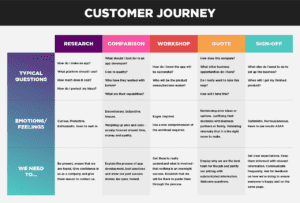
B2B Customer Journey Map
This map shows five key stages where a business customer interacts with a company:
- Awareness. The client realizes they have a problem and starts looking for solutions.
- Research. They compare different brands and options. They visit multiple sites. They read reviews.
- Details. They narrow down their choices and start looking at specifics: pricing, features, support options.
- Purchase decision. They go back to their top two or three options and make a final call. This is where reassurance matters: testimonials, guarantees, and clear terms.
- Post-purchase support. They bought from you. Now you need to keep them happy so they buy again or refer others.
The key with B2B maps is showing your entire team where they fit in the journey. Sales needs to know what customers have already researched before the first call. Support needs to know what promises were made during the sale.
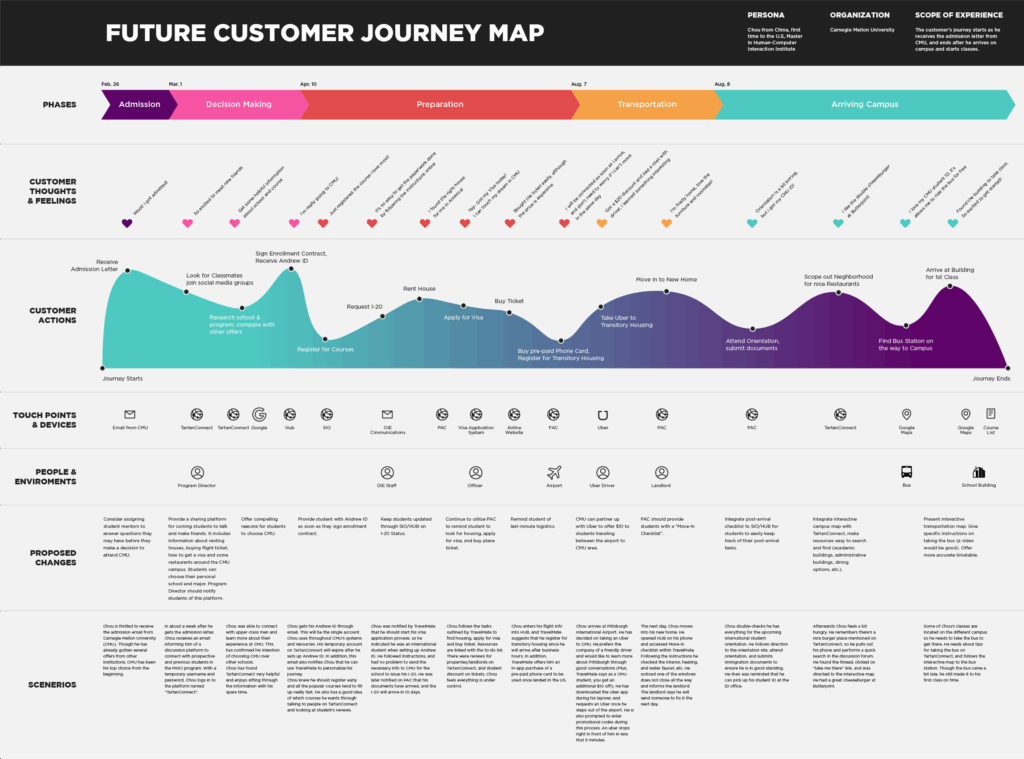
Future State B2B Map
This one shows what the company wants the journey to look like after improvements. It includes the touchpoints, the devices customers use, and the emotions they should feel at each stage.
It is a goal-setting tool. Everyone on the team can see where they are headed and what needs to change to get there.
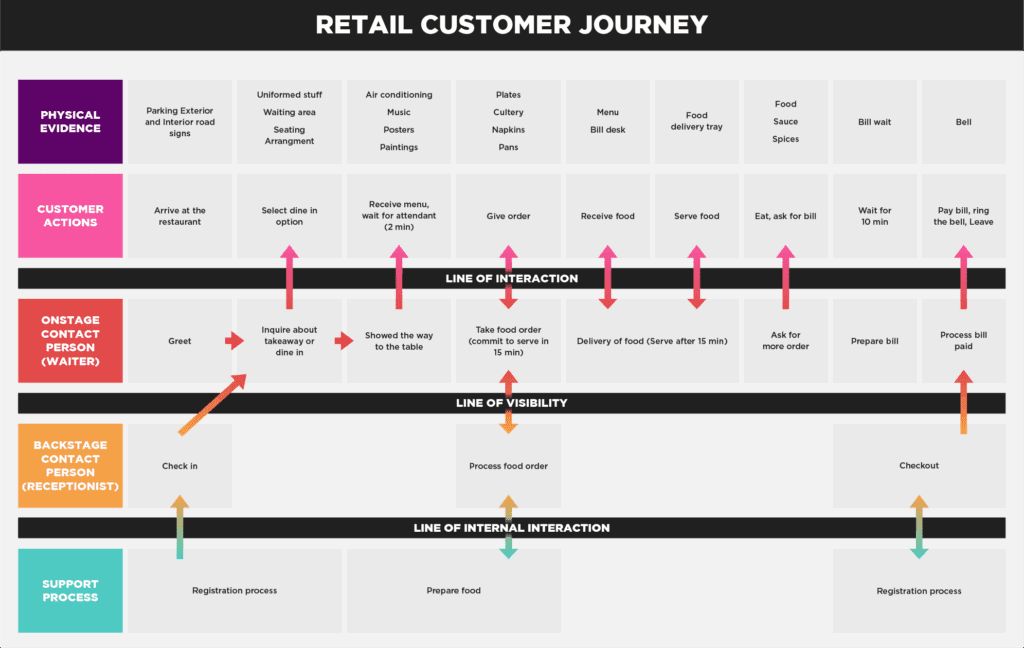
Detailed Retail Map
This is the most comprehensive version. It shows what the customer sees and does, plus all the invisible backend work that has to run smoothly for the experience to be smooth.
Every customer action comes with an explanation. Every employee action is documented. Every system and process is visible.
This level of detail is practical when you are doing deep analysis. Where exactly is the breakdown? What specific thing needs to change?
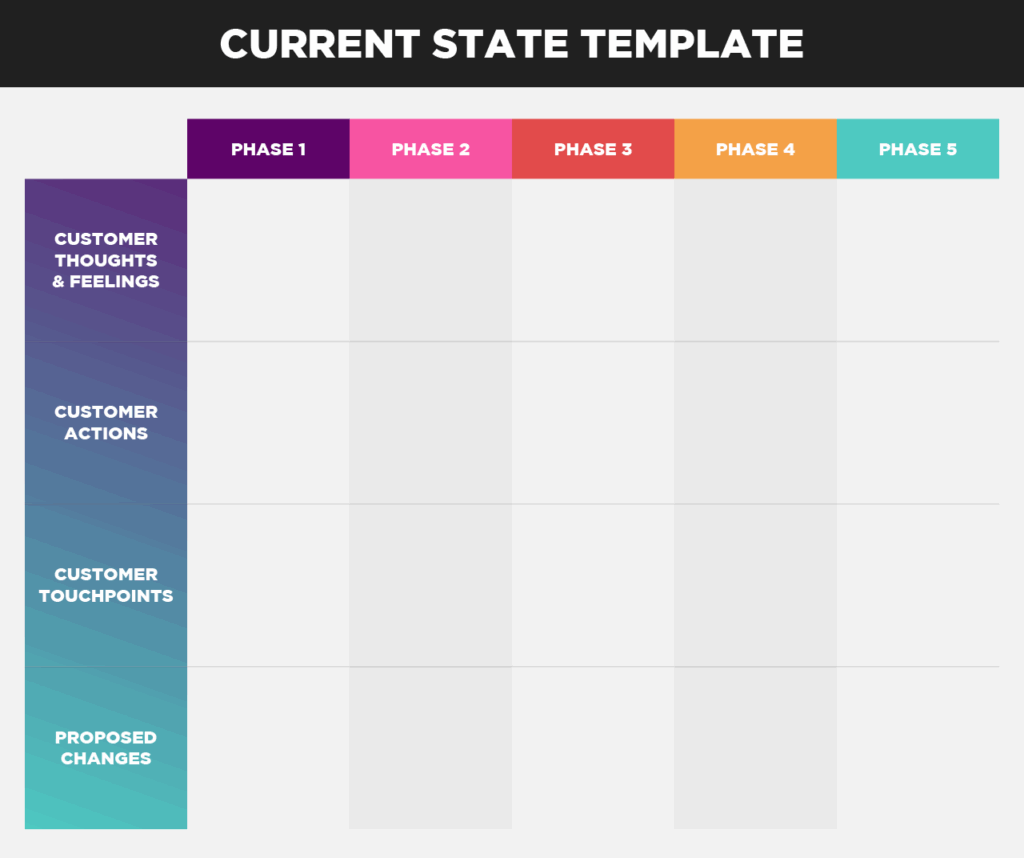
Current State Template
I keep a blank template for B2B current state maps. It has sections for:
- Customer thoughts and feelings at each stage.
- Specific actions they take.
- Touchpoints where they interact with the brand.
- Opportunities for improvement.
I fill this out every time I start working with a new client. It keeps me from forgetting steps.
What I Learned From Doing This A Lot
Most companies build customer journey maps once, put them in a deck, present them to leadership, then forget about them. That is a waste.
The map is only helpful if you actually change things based on what it shows you. And then you have to keep updating it, because your business changes and your customers change.
I keep mine in a Google Doc that my team can access. We review it quarterly. We add notes when customers share new information. We update it when we change our website or our process.
It is a living document, not a monument to one moment in time.
If you are going to do this, do it right. Talk to real customers. Map real behavior. Fix real problems. Then do it again in a few months.