I am not a PDF evangelist. I spend a fair amount of time wishing we could move past them entirely.
But here we are.
Clients keep uploading restaurant menus, spec sheets, reports, catalogs, brochures, and every other document format they could have just written in HTML but chose not to. And the second you put one on a WordPress site without a plugin, the experience is terrible.
Click the link. The browser opens a download prompt. User leaves. No one reads the thing.
This happens because WordPress does not natively display PDF files. It will store them in the media library just fine, but when it comes to actually showing them on a page, WordPress basically shrugs and says, “Not my problem.”
So if you want visitors to view a PDF without leaving your site, offer downloadable versions of blog posts, or run a WooCommerce store and need to send invoices, you need a plugin.
I have used most of these. Some are great. Some are overcomplicated. Here are five that actually work.
Why PDF Embedding Matters More Than You Think
Before I get into the plugins, let me explain why this even matters.
Say you run a restaurant. You upload your menu as a PDF. A potential customer lands on your site, clicks a menu link, and gets prompted to download. That is friction. They might download it. They might not. Either way, they left your site.
Now imagine they click the menu link, and it opens right there on the page. They scroll through it. They see the drinks section. They decide to make a reservation.
That second experience converts better. Always.
The same logic applies if you are hosting white papers, case studies, product manuals, or anything else people expect to preview before downloading. Embedding removes a step. Removing steps improves conversions.
Not rocket science. Just good UX.
EmbedPress: The One That Does More Than PDFs
EmbedPress is popular for a reason. It handles PDFs, Facebook posts, Google Maps, Instagram embeds, Google Docs, and about 20 other content types.
I like tools that do more than one thing well, and this one does.
The PDF workflow is straightforward. Upload your file to the WordPress media library. Drop it into a post or page. EmbedPress renders it inline without the clunky black viewer frame that makes everything look like a mid-2000s government website.
If you are already using this plugin for other embeds, adding PDFs is trivial. If you are not using it yet and you need more than just PDF support, this is a good place to start.
The interface is clean. The output is clean. It does not try to upsell you on features you will never use.
WPForms: Simple, But Limited
WPForms has over 3 million active installs, which speaks to its market fit.
It is not specifically a PDF plugin. It is a form builder that supports file uploads, including PDFs. If you are running lead-generation forms or job applications that require people to upload resumes or documents, this works fine.
The appeal here is simplicity. You do not need backend access to make it work. You build a form, add a file upload field, and the submitted files get stored wherever you configure them.
The downside is that this isn’t really designed to display PDFs on your site. It is intended for collecting them. If you need embedded viewing, this is the wrong tool. If you need a way for users to submit PDFs through a form, this does the job.
I have used it on a few client sites where document collection mattered more than document display. It worked. I did not love it. But it worked.
PDF Poster: Clean Output, No Black Frame
PDF Poster solves one specific problem that annoyed me for years.
Most PDF viewer plugins wrap your document in a black or gray frame with navigation controls. It looks like you are viewing the file through a third-party tool, which you are, but that aesthetic isn’t what most clients want.
PDF Poster strips all that out. You get a clean, embedded PDF that looks like it belongs on the page.
The workflow is standard. Upload the PDF. The plugin generates a shortcode. Paste the shortcode into your post or page. Done.
You also get some control over what users can do with the file. You can disable downloading. You can disable copying text. Whether or not you should do those things is a separate conversation, but the option exists.
I have used this on sites where the visual presentation mattered more than feature richness. It does one thing well and does not try to be more than that.
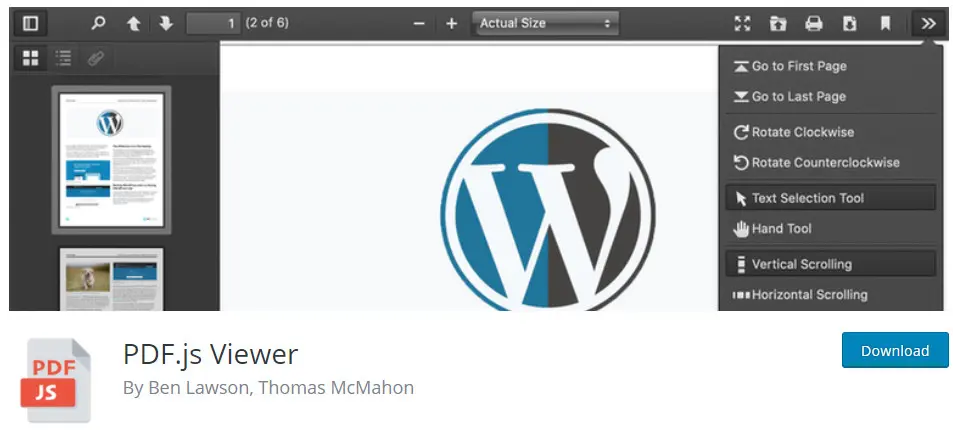
PDF.js Viewer: Full-Featured, Shortcode-Based
PDF.js Viewer is the option I reach for when I need more control.
It uses the same shortcode workflow as PDF Poster, but it gives you a complete PDF reader experience. Users can scroll, search, download, print, zoom, and navigate through pages.
You can also configure it to show only part of a PDF, which is helpful if you want to display specific pages without exposing the entire document.
The plugin offers password protection options, zoom presets, and enough settings to fine-tune behavior without writing custom code.
If you are embedding long-form documents like reports, manuals, or spec sheets where people actually need to interact with the content, this is the one I use. It feels like a real PDF viewer, not a hacky workaround.
WooCommerce PDF Invoices & Packing Slips: For Stores
If you run a WooCommerce store, you need this.
It does precisely what the name says. When someone places an order, the plugin generates a PDF invoice and attaches it to the order confirmation email. You can also create packing slips for fulfillment.
The default templates are basic but fully customizable. You can adjust the layout, add your logo, change the colors, and make it match your branding.
I have deployed this on probably fifty WooCommerce sites. It works reliably. Customers expect invoices. This gives them invoices. No one has ever complained.
The only caveat is that this is for WooCommerce only. If you are not running a store, you do not need it.
Which One Should You Actually Use
Here is how I think about it.
- If you need a general-purpose embedding tool that handles PDFs and other content types, use EmbedPress.
- If you need users to upload PDFs through forms, use WPForms.
- If you care about visual cleanliness and do not need advanced features, use PDF Poster.
- If you need a full-featured PDF viewer with search and navigation, use PDF.js Viewer.
- If you run a WooCommerce store and need invoices, use WooCommerce PDF Invoices & Packing Slips.
None of these is complicated. Pick the one that matches your use case and move on. WordPress should handle this natively, but it does not. So we use plugins. That is the game.