I manage over 500 WordPress sites.
I have seen what happens when you try to scale a business on a $5/month hosting plan. It is not pretty.
Shared hosting works fine when you are starting and have a low-traffic, basic WordPress site, a contact form, and some images. But the second you start getting real visitors or trying to run an actual online business, the cracks appear fast.
This is not a theoretical discussion. I have migrated dozens of sites off shared hosting after they hit the wall. Every single time, the pattern is the same: traffic grows, the site slows down, the host sends resource warnings, everyone panics, and then we move to something that actually works.
This article walks through what actually happens on shared hosting when traffic increases, how to know when you have outgrown it, and what to do about it before your site goes down during your biggest sales day.
What Shared Hosting Actually Is
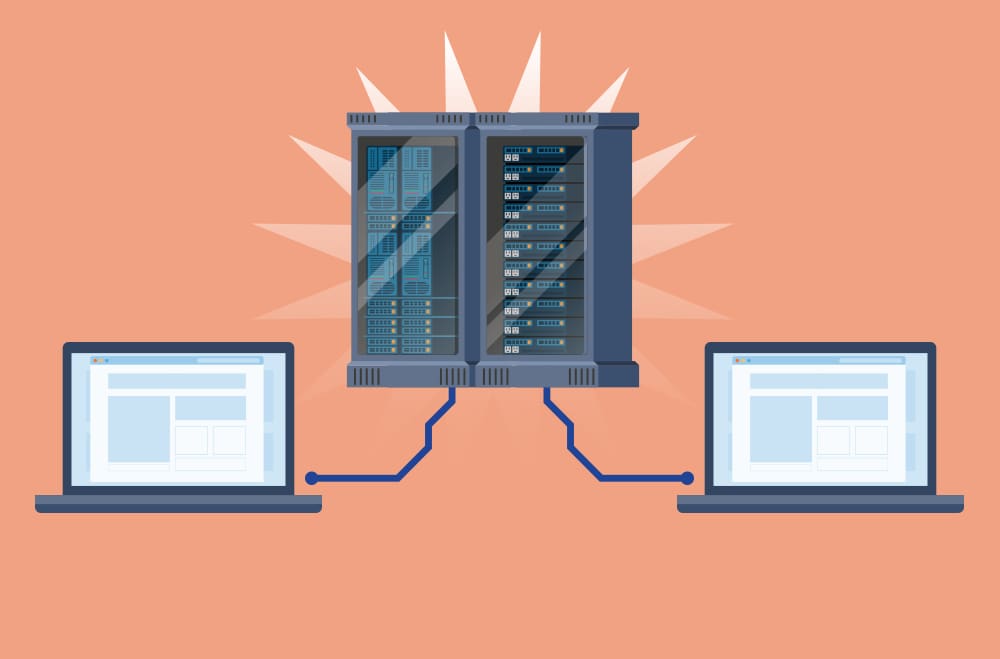
Shared hosting means your website lives on a server with dozens or hundreds of other websites. You all share the same CPU, RAM, and bandwidth. Think of it like living in an apartment building where everyone shares the same electrical panel.
When your neighbor decides to run every appliance at once, your lights dim.
The appeal is obvious: it is cheap. You can get started for less than the cost of a coffee subscription. Hosts manage the server, you get a control panel, one-click WordPress installs, and you do not need to know anything about server administration.
This setup works great for small sites. The problems start when your site is no longer small.
How Resource Sharing Actually Works (And Why It Breaks)
Here is what nobody tells you upfront.
On shared hosting, your site does not have dedicated resources. The server allocates CPU and RAM dynamically based on what everyone needs at that moment. If another site on your server gets slammed with traffic or runs a terrible plugin that loops infinitely, your site can slow down or crash.
You did nothing wrong. Your site lives next to a problem.
Most hosts set resource limits per account to prevent a single site from bringing down the whole server. When you hit those limits, you get warnings. Keep hitting them, and they either throttle your site or ask you to upgrade.
I have seen this happen during product launches, flash sales, and viral blog posts. The worst part is that you usually find out your hosting cannot handle the load exactly when you need it most.
The Real Problems With Shared Hosting for Growing Sites
Let me be direct about what breaks:
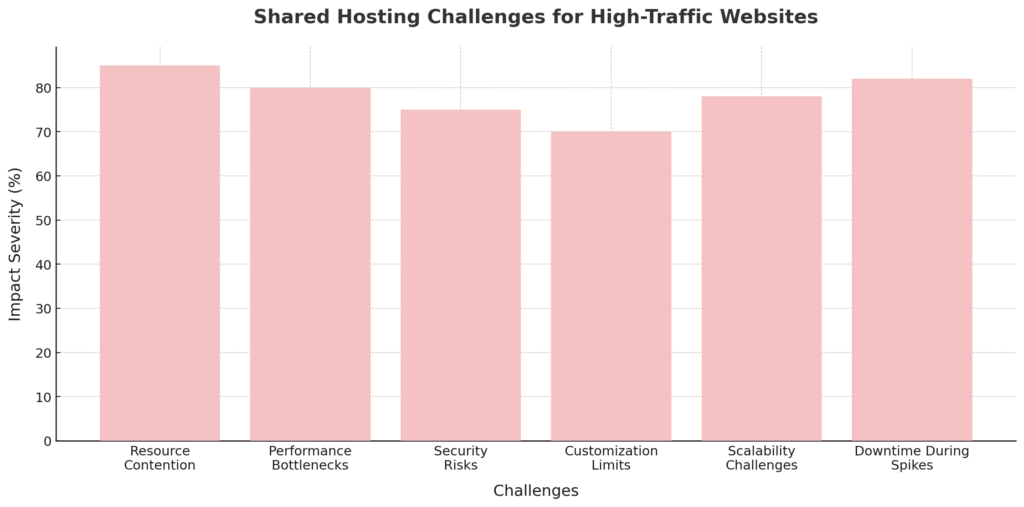
- Resource contention kills performance. When 200 sites share one server, your site speed depends on what everyone else is doing. Good luck controlling that.
- Traffic spikes become outages. Run a promotion and get 10x your regular traffic? Your site may go down or slow to a crawl. The server was not built for spikes.
- You cannot optimize properly. Want to install custom caching? Configure server-level security? Use specific PHP settings? Too bad. Most shared hosts lock down anything that might affect other users.
- Security is a shared problem. If another site on your server gets hacked, the malware could spread. Shared environments are inherently less isolated.
- Scaling is not really an option. You cannot add more RAM just for your site. The only path is “upgrade to our next tier,” which often means moving to a completely different type of hosting anyway.
I have had clients lose thousands of dollars in sales because their shared hosting could not handle a successful marketing campaign. That is a stupid way to lose money.
When Shared Hosting Starts Costing You Money
Slow sites kill conversions. I am not talking about theory here. A site that takes 5 seconds to load instead of 2 seconds will lose customers. They will leave before the page finishes rendering.
Search engines notice too. Google ranks fast sites higher. A slow shared hosting setup can directly hurt your organic traffic over time.
Then there is downtime. If your site goes offline during business hours, you are losing sales, credibility, and customer trust. Most shared hosting plans promise 99.9% uptime, but that still allows for over 8 hours of downtime per year. And that is if they actually hit their target.
The hidden cost is your time. When you are constantly dealing with performance issues, resource warnings, and limitations, you are not growing your business. You are babysitting your hosting.
Tools I Use to Monitor Shared Hosting Performance
I do not wait for disaster. I watch the metrics before things break.
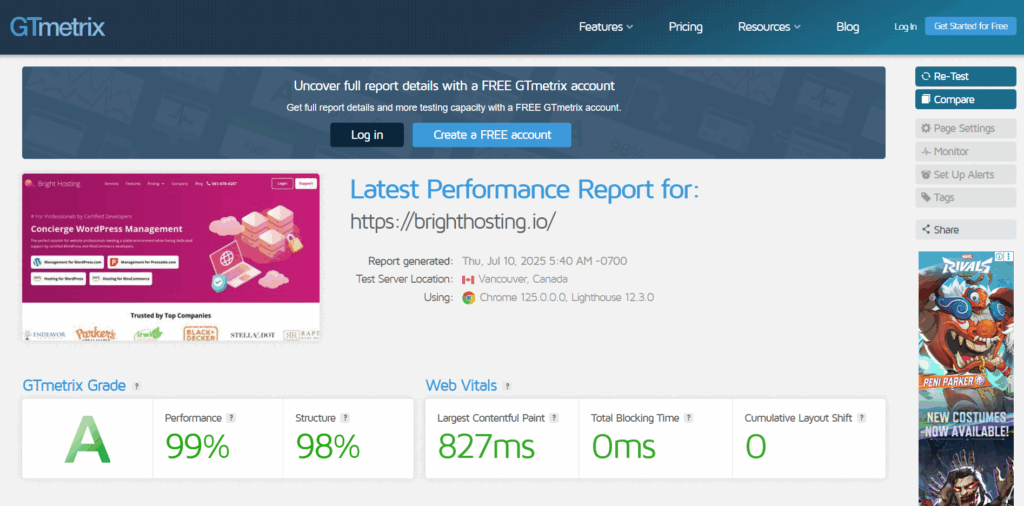
GTmetrix provides a detailed load speed analysis and shows where bottlenecks occur. It tests from multiple locations and provides a performance score based on objective metrics.
Key Features:
- Comprehensive page load speed analysis and reporting
- Performance scoring using Google Lighthouse metrics
- Visual waterfall charts showing resource loading sequences
- Actionable recommendations to improve site speed
- Mobile device performance analysis and testing
- Test from multiple worldwide locations
- Track and compare performance data over time
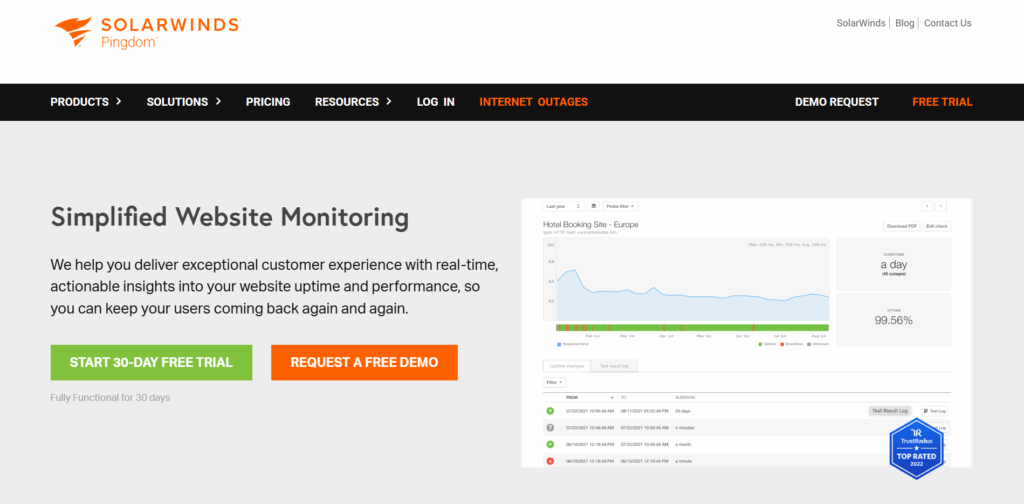
Pingdom tracks uptime and response times. I set alerts so I know immediately when a site goes down or slows significantly.
Key Features:
- Site availability monitoring with tailored notification settings
- Measure response times from different geographic regions
- Evaluate page load speeds with detailed performance ratings
- Track critical user pathways and transaction sequences
- Generate reports on past performance metrics
- Create personalized dashboards and custom reporting views
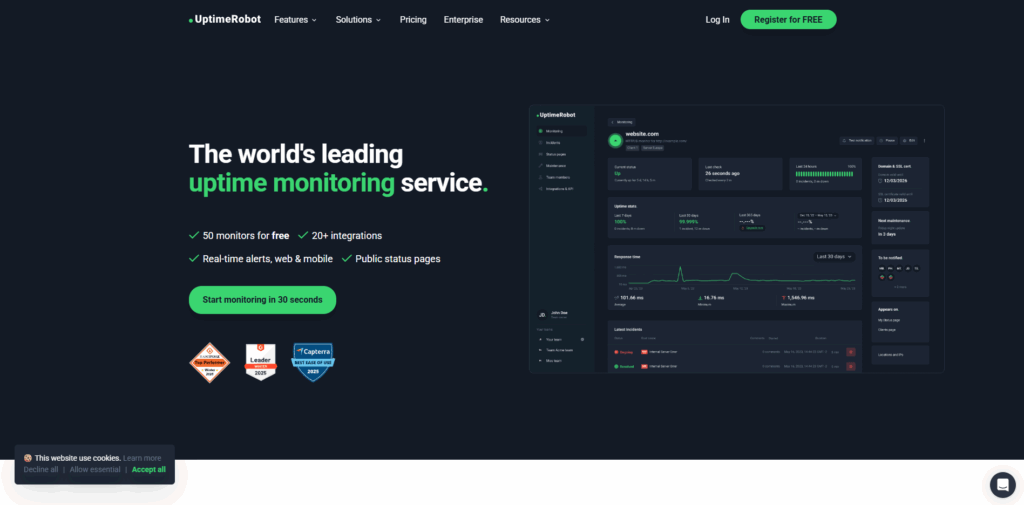
UptimeRobot monitors availability every 60 seconds. Free tier works fine for basic monitoring. I get email alerts when something breaks.
Key Features:
- Checks site availability at one-minute intervals
- Configure notifications through email, text messages, or third-party integrations
- Records response speeds and maintains downtime incident logs
- Monitor via HTTP(s), ping, port checks, and keyword detection
- Share real-time site status with public transparency pages
- Access centralized dashboard with detailed performance logs
WP Server Stats is a lightweight plugin that shows me memory and CPU usage right in the WordPress dashboard. Helps spot resource issues before the host sends warnings.
Key Features:
- View live memory and processor utilization metrics
- Monitor server workload and running processes
- Add configurable widget to your WordPress admin dashboard
- Compatible with Linux server environments
- Helps pinpoint potential performance issues and bottlenecks
- Easy installation with zero configuration needed
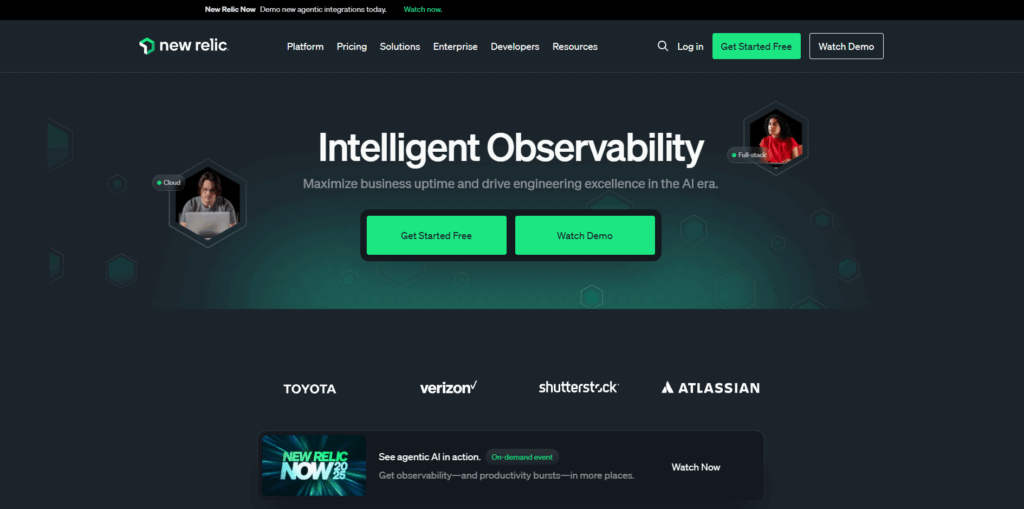
For clients with more complex setups, I use New Relic for deep server and application monitoring. It shows precisely where performance problems live.
Key Features:
- Monitor server and application performance in real-time
- Get comprehensive data on processor, memory, and storage utilization
- Track transaction speeds and database query performance
- Use distributed tracing to identify performance constraints
- Create tailored dashboards and set up notification rules
- Connect with cloud platforms, containerized environments, and DevOps workflows
These tools tell me when a site is outgrowing its hosting before customers start complaining. Much better than learning about problems from angry emails.
Signs You Have Outgrown Shared Hosting
You will know. The signals are not subtle.
- Your host keeps sending resource limit warnings. This is the hosting equivalent of “we need to talk.” They are telling you to leave.
- Site performance drops during regular traffic. If your site slows down even when you are not experiencing a spike, the server cannot handle your baseline.
- You cannot install the features you need. Want better caching? Custom security rules? Advanced CDN integration? Shared hosting says no.
- Every marketing campaign becomes a gamble. You are afraid to promote your own business because you do not know if the site will stay up.
- Support keeps suggesting you upgrade. When your hosting company tells you to spend more money, listen. They see the usage data.
I moved one client off shared hosting after their site went down three times in two weeks. Every outage happened during peak business hours. They were losing sales and getting roasted in customer emails. Switching to VPS solved it completely.
What to Actually Use Instead of Shared Hosting
When you outgrow shared hosting, you have options. I have used all of them for different clients.
VPS hosting gives you dedicated resources. You get your own virtual partition with guaranteed CPU, RAM, and storage. Other sites on the same physical server cannot affect your performance. You can configure server settings, install what you need, and scale resources as you grow.
VPS is my default recommendation for most growing businesses. It costs more than shared hosting, but not dramatically more. You get absolute control and reliable performance.
Managed WordPress hosting removes the technical burden. Companies like WP Engine and Kinsta handle server management, updates, backups, and security. You focus on your business. They focus on keeping your site fast and online.
Suitable for teams without technical staff. Bad for tight budgets since it is the most expensive option.
Dedicated hosting gives you an entire physical server. Nobody else shares it. You get maximum performance and complete control. Also costs the most and requires the most technical knowledge.
Only worth it for very high-traffic sites or complex applications that actually need those resources.
Cloud hosting scales automatically. Services like AWS, Google Cloud, and DigitalOcean let you pay for what you use. Traffic spike? The infrastructure scales up. Quiet period? Costs drop.
Great for sites with variable traffic. Terrible for people who want predictable monthly bills.
I run most of my agency’s client sites on either VPS or managed WordPress hosting. The reliability is worth the cost difference.
How VPS Hosting Fixes the Problems
VPS gives you what shared hosting cannot: isolation and control.
Your site gets dedicated CPU, RAM, and storage that no other site touches. When your neighbor’s site gets hammered, your site keeps running at full speed. You are no longer sharing the electrical panel.
You can configure PHP settings, install custom caching layers, optimize database performance, and handle your security however you want. Most managed VPS options still include a control panel, so you do not need to be a Linux expert.
The performance difference is immediate. I have moved sites from shared to VPS and seen load times drop by 50% or more without changing anything else about the site.
Security improves, too. Your site runs in an isolated environment. If another VPS on the same physical server gets compromised, it does not affect you.
How to Migrate Without Breaking Everything
I have migrated hundreds of sites. The process is straightforward if you do not skip steps.
- Back up everything first. Files, database, email accounts, DNS records, and configurations. If you cannot restore from backup, you did not back up correctly.
- Set up the new hosting and test in staging. Install your site on the new server before switching DNS. Test every page, form, checkout flow, and plugin. Fix problems now, not in production.
- Update DNS records to point to the new server. This is the actual cutover. DNS propagation takes time, so expect some mixed traffic for a few hours.
- Monitor performance after launch. Watch for broken links, missing images, slow queries, or any errors. Catch issues immediately while you are paying attention.
- Communicate with users if needed. For sites with active communities or heavy transaction volume, let people know maintenance is happening.
The actual technical migration usually takes a few hours. Planning and testing take longer. Do not rush it.
What to Do if You Are Stuck on Shared Hosting
If you cannot upgrade yet, optimize what you have.
- Compress images aggressively. Use tools like ShortPixel or Imagify. Large image files kill shared hosting performance faster than almost anything else.
- Install a caching plugin. WP Super Cache or W3 Total Cache significantly reduces server load. They serve static HTML instead of processing PHP every time.
- Use a lightweight theme. Some themes are resource hogs. Switch to something simple that does not load 47 JavaScript files on every page.
- Remove unnecessary plugins. Every plugin you do not actually need is wasting resources. Audit ruthlessly.
- Enable a CDN. Cloudflare’s free tier works fine. It offloads bandwidth from your server and speeds up delivery globally.
- Keep everything updated. Old WordPress versions, themes, and plugins have performance issues and security holes. Update regularly.
These tactics buy you time but do not fix the underlying problem. Eventually, you still need better hosting.
How to Prepare for Traffic Spikes on Shared Hosting
If you know traffic is coming and you are still on shared hosting, prepare defensively.
- Enable caching everywhere. Preload high-traffic pages so they serve from cache instead of hitting the database.
- Minify and compress everything. Reduce the sizes of CSS, JavaScript, and HTML files. Every byte matters when the server is under stress.
- Disable non-critical plugins temporarily. Anything that runs background tasks or hits the database frequently should be turned off during the spike.
- Talk to your host. Some providers offer temporary resource boosts for events. Most will not volunteer this, so ask directly.
- Monitor in real time. Use UptimeRobot or Pingdom, so you know immediately if the site goes down. You cannot fix problems you do not know about.
- Have a backup plan. If the site crashes, what is your communication plan? How do you let customers know? This is not paranoia. This is basic planning.
I have had clients survive product launches on shared hosting using these tactics. But it is always stressful, and eventually, the infrastructure just cannot keep up.
What Actually Happens When You Wait Too Long
I have seen this story play out dozens of times.
Business grows, site traffic increases. Shared hosting starts struggling. The owner ignores the warnings because “it is working fine most of the time.”
Then a campaign works too well. Traffic spikes. Site crashes. Panic.
Now you are migrating under pressure with lost sales piling up and customers asking why the site is down. Everything that should be planned and tested gets rushed. Mistakes happen. More downtime. More lost revenue.
The cost of waiting is always higher than the cost of upgrading proactively. I cannot count how many times I have had this conversation with clients after a disaster they could have avoided.
The Bottom Line
Shared hosting is OK for starting. It stops being fine the moment your website matters to your business.
If you are getting resource warnings, experiencing slowdowns, or worrying about whether your site will handle your next promotion, you have already waited too long.
Upgrade to VPS or managed hosting. Stop gambling with your business. The performance difference and peace of mind are worth every dollar.
I run Bright Hosting specifically because I got tired of watching clients suffer on inadequate infrastructure. Managed WordPress hosting built for businesses that actually depend on their websites being fast and online.
If your site matters, your hosting should not be an afterthought.